
STEP 1
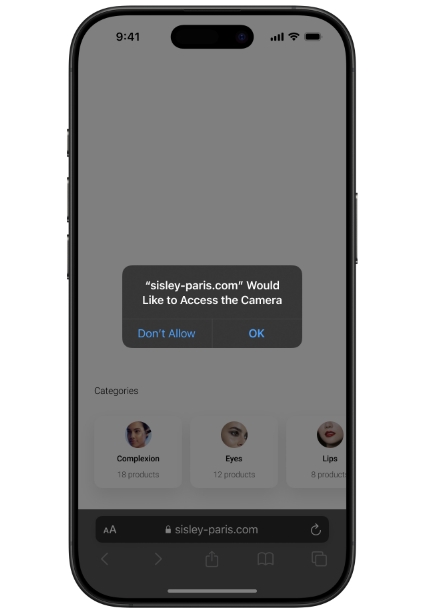
Get started in one click: click on "Start" then allow access to your camera to activate your virtual mirror and continue in complete privacy.
Ласкаво просимо до sisley-paris.com/uk-UA/!
Ready to begin? Here are the four steps to follow to get started.
Get started in one click: click on "Start" then allow access to your camera to activate your virtual mirror and continue in complete privacy.
Browse our catalogue: Choose a category, a product, then a shade that inspires you and watch it blend perfectly with your face.
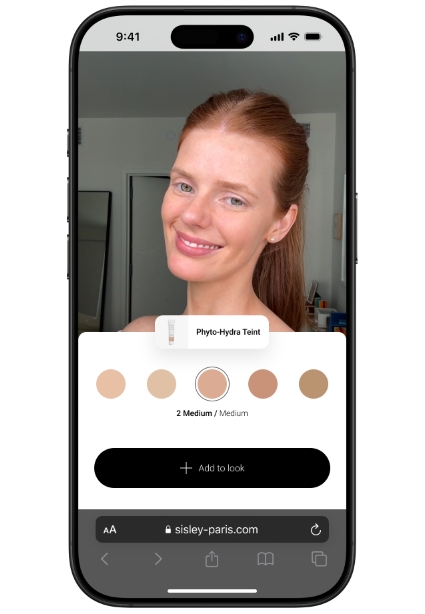
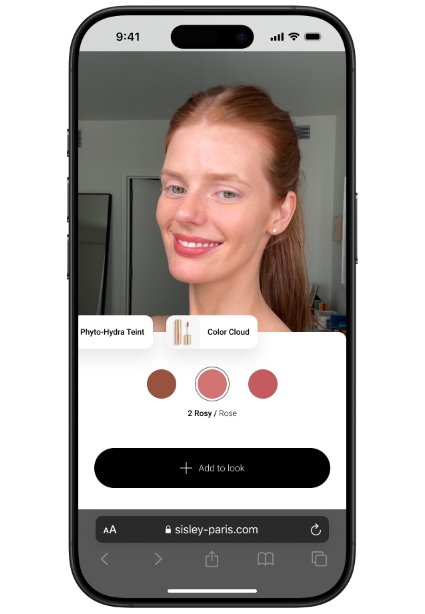
Create your own custom look: Try several products at the same time - lipstick, eyeshadow… All combinations are possible!
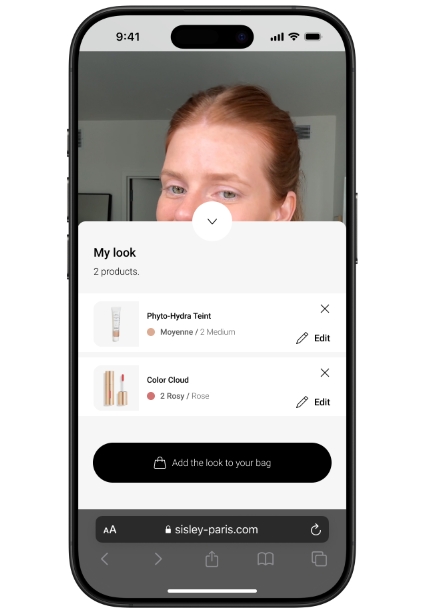
Make your selection: All you have to do is add your favourite items to your cart and complete your purchase with confidence through our secure payment methods.
Let our expert services guide you to refine your choices and fully reveal your beauty.
Our video makeup and skincare tutorials will guide you to enhance your beauty and reveal the full radiance of your skin.

Here are the answers to the most frequently asked questions concerning the virtual try-on feature.
You can try up to six products, testing one product at a time per area (complexion, blush, lipstick, eyeshadow, eyeliner and mascara).
Please ensure your camera is enabled and your browser is up to date. If the problem persists, please contact our customer service.
No, your image is never recorded. The fitting takes place live, in complete confidentiality.
The virtual try-on offers the most accurate representation possible of colours and shapes, but slight variations may occur depending on the lighting and screen used. For optimal results, we recommend positioning yourself facing a natural light source, closing any applications using the camera, and ensuring your device is up to date.
No, the virtual try-on feature is freely accessible, without registration or account creation.